Android bootloader analysis (1) - Qualcomm Secure Boot
Introduction
The bootloader is one of the most important pieces of Android’s security model. Before Android itself starts running, the bootloader is responsible for bringing up the device, initializing early firmware components, loading the Trusted Execution Environment (TEE), and eventually handing control over to the Linux kernel.
A key security property of this process is that each stage must authenticate the next stage before executing it. This is usually referred to as Secure Boot. In a properly configured device, an attacker should not be able to modify an intermediate boot image and still have the device boot successfully. If any part of this chain is broken, the attacker may be able to load a compromised TEE, hypervisor, or kernel image. Depending on the device state and the compromised component, this can lead to serious impact, such as bypassing platform security assumptions, weakening filesystem encryption guarantees, or extracting sensitive data from a locked device.
Qualcomm Secure Boot
On Qualcomm-based Android devices, the boot process is a chain of authenticated stages. Each stage verifies the cryptographic signature of the next image before loading and executing it. If an attacker modifies one of the boot images, the previous stage should fail to authenticate it, and the boot process should stop.
The exact boot flow depends on the SoC generation, device vendor, and firmware configuration. Still, the overall structure is usually similar enough to describe as a chain of trust that starts from immutable hardware-backed code and eventually reaches the Android kernel.
Primary Boot Loader
The following diagram shows a simplified Qualcomm boot flow.
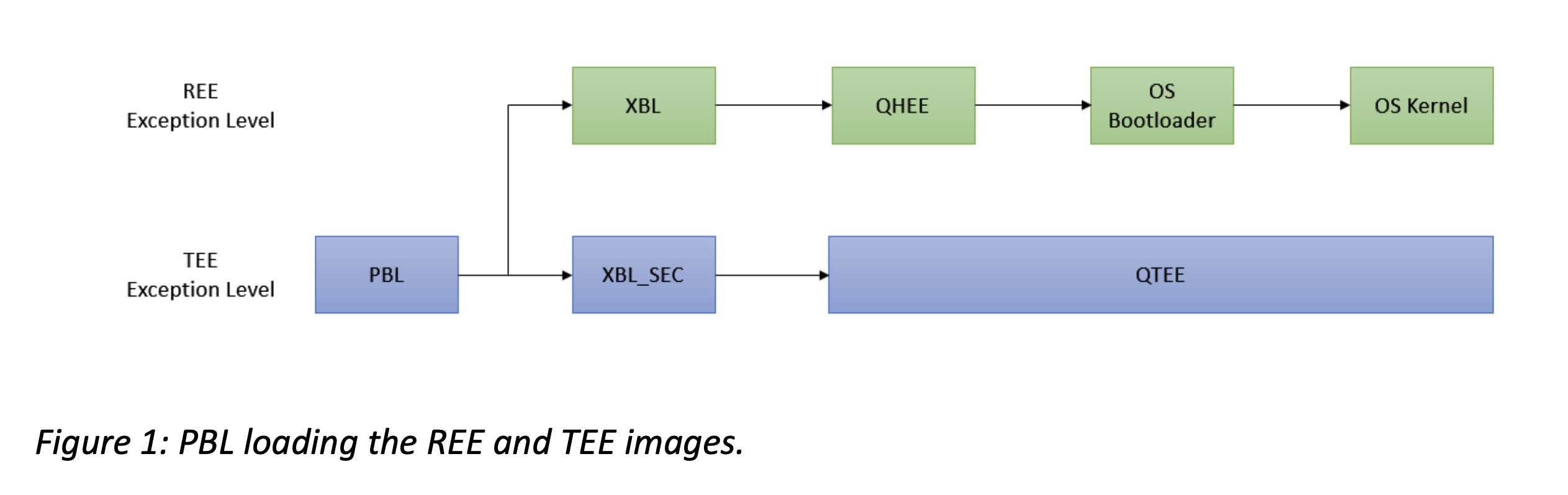 (
(The first code that runs on the application processor is the Primary Boot Loader (PBL). PBL is stored in Boot ROM inside the SoC, which means it is immutable after manufacturing. This makes it the root of trust for the rest of the boot chain.
Because PBL lives in ROM, it is intentionally small. Its job is not to implement a full boot environment, but to perform the minimum amount of initialization needed to continue the boot process. This usually includes selecting the boot device, loading the next-stage image from flash storage, and authenticating that image using hardware-backed secure boot configuration.
From a security research point of view, PBL is especially interesting because bugs at this stage are extremely powerful. Since PBL runs before most platform security features are initialized, a vulnerability here can affect the entire device security model.
One well-known PBL-related attack surface is Emergency Download Mode (EDL). EDL is a low-level Qualcomm boot mode used for factory flashing, recovery, and servicing. In normal operation, EDL is not supposed to give arbitrary access to the device. However, past research has shown that vulnerable or improperly authorized Firehose programmers can expose dangerous capabilities such as flash access or memory read/write primitives.
For more background, see Aleph Security’s Qualcomm EDL research, also known as Firehose exploitation:
https://alephsecurity.com/2018/01/22/qualcomm-edl-1/
There is also a good HexaCon 2023 presentation covering related Qualcomm boot chain research:
https://www.youtube.com/watch?v=3Zs45Cl3HfQ
For comparison, MediaTek devices have also had interesting BootROM-level research. One practical reference is MTKClient:
https://github.com/bkerler/mtkclient
eXtensible Boot Loader
After PBL authenticates and loads the next stage, the device enters the eXtensible Boot Loader, commonly called XBL. On older Qualcomm platforms, similar stages were often referred to as SBL, or Secondary Boot Loader. On modern devices, XBL is usually stored on eMMC or UFS storage, which means it can often be obtained from firmware packages or by dumping the corresponding partitions from a device.
Unlike PBL, XBL is not immutable ROM code. This makes it much easier to analyze. At the same time, it is still part of the secure boot chain, so it is authenticated before execution.
At a high level, XBL is responsible for initializing a much richer firmware environment. It brings up more hardware, prepares memory, loads firmware images, and starts components used by both the normal world and the secure world.
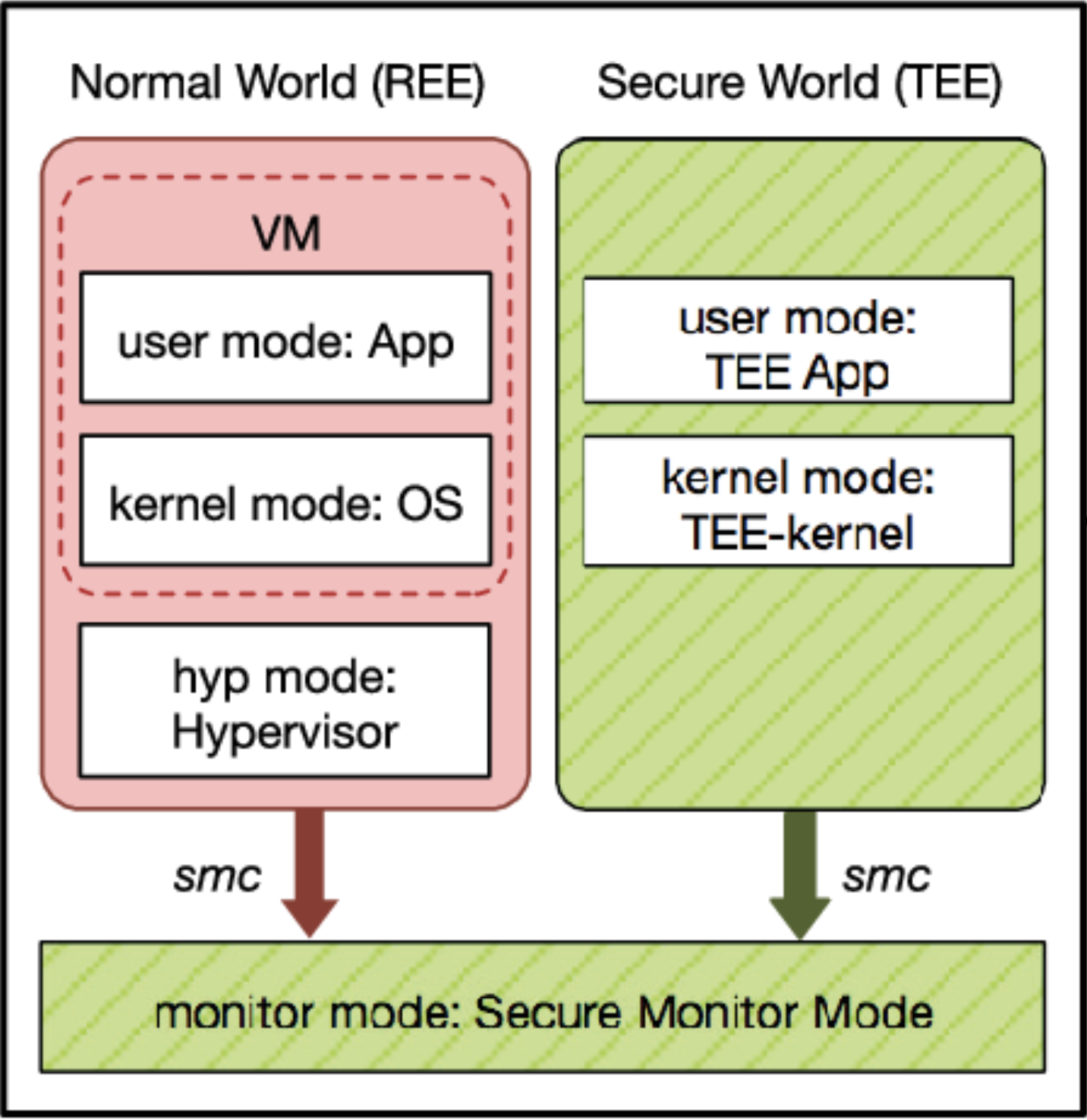
On Qualcomm devices, the boot chain typically includes components such as:
- AOP, the Always-On Processor firmware
- QSEE or QTEE, Qualcomm’s trusted execution environment
- QHEE, Qualcomm’s hypervisor environment
- UEFI firmware components
- APPSBL, which eventually leads into ABL
The exact names vary by device and generation, but the security model is the same: each firmware image is authenticated before it is used.
The following is an example of early XBL-related firmware loading on a Samsung device.
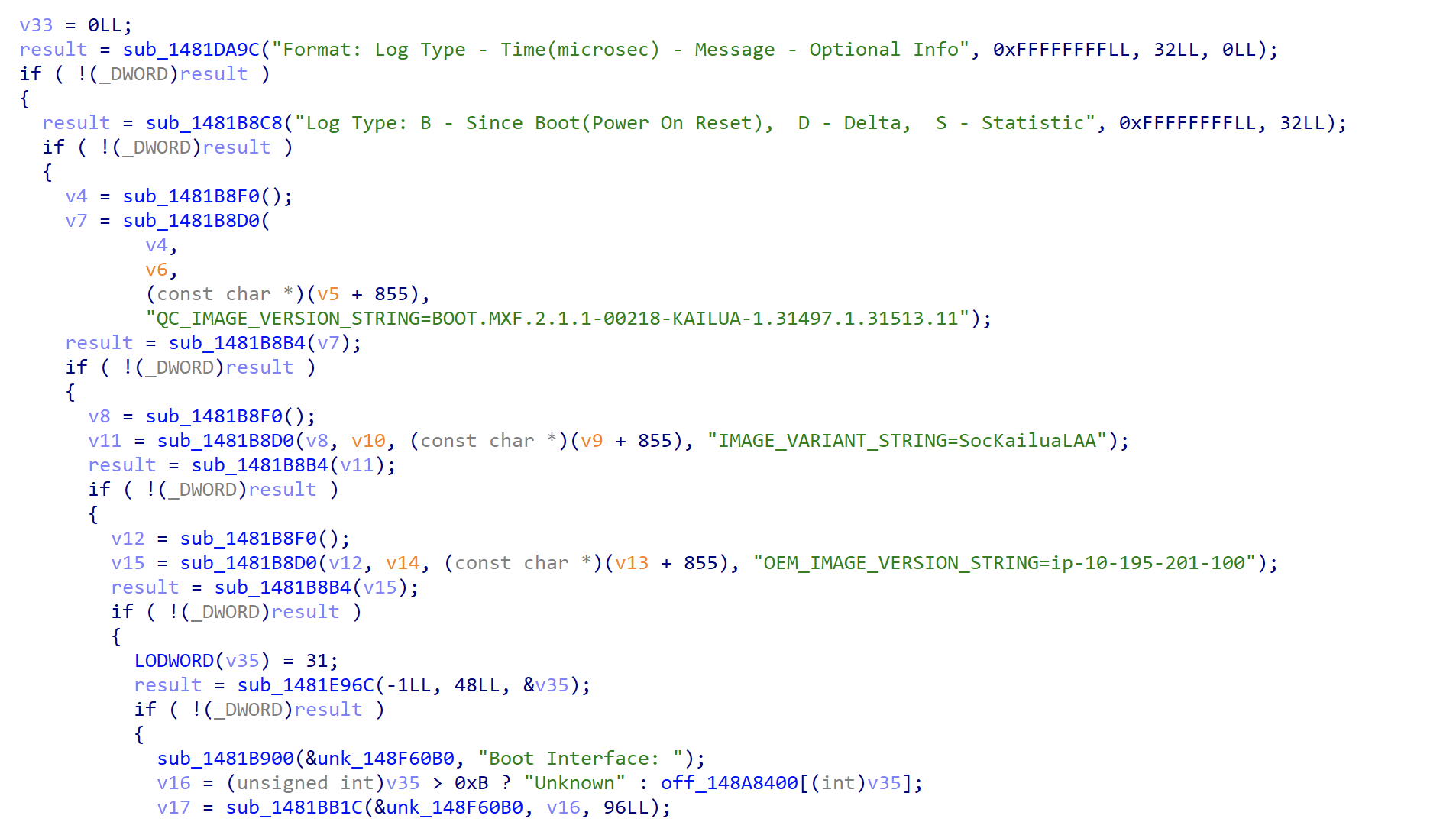
After the early firmware components are initialized, XBL brings up a UEFI-based environment. This is important because many Qualcomm Android bootloaders are built around a TianoCore EDK2-style UEFI environment. UEFI provides common boot services and runtime services, and it also gives vendors a flexible framework for implementing boot applications and device-specific features.
Below is part of a Qualcomm device boot log showing firmware images being authenticated and loaded before UEFI starts.
...
B -    555222 - AOP Config -  Image Load, Start
D -     11773 - Auth Metadata
D -     16378 - AOP Config -  Image Loaded, Delta - (14138 Bytes)
B -    571631 - AOP -  Image Load, Start
D -     20801 - Auth Metadata
D -     42212 - AOP -  Image Loaded, Delta - (318420 Bytes)
D -         0 - aop_loaded
D -         0 - boot_prepare_cpucp
B -    613812 - CPUCP_DTB -  Image Load, Start
D -     11773 - Auth Metadata
D -     13756 - CPUCP_DTB -  Image Loaded, Delta - (8692 Bytes)
B -    627598 - CPUCPFW -  Image Load, Start
D -     20831 - Auth Metadata
D -     49532 - CPUCPFW -  Image Loaded, Delta - (232822 Bytes)
D -         0 - boot_reset_cpucp
B -    677161 - QSEE Dev Config -  Image Load, Start
D -     12413 - Auth Metadata
D -     24400 - QSEE Dev Config -  Image Loaded, Delta - (368009 Bytes)
B -    701561 - QSEE -  Image Load, Start
D -     21808 - Auth Metadata
D -     94153 - QSEE -  Image Loaded, Delta - (4116976 Bytes)
B -    796934 - DTB: Vibration Enabled
D -      1189 - sbl1_hw_play_vibr
B -    796934 - SEC -  Image Load, Start
D -     12261 - Auth Metadata
D -     14305 - SEC -  Image Loaded, Delta - (4972 Bytes)
B -    811239 - QHEE -  Image Load, Start
D -     20832 - Auth Metadata
D -     35593 - QHEE -  Image Loaded, Delta - (1407936 Bytes)
B -    846832 - APPSBL -  Image Load, Start
D -     11803 - Auth Metadata
D -     38217 - APPSBL -  Image Loaded, Delta - (3068344 Bytes)
D -        30 - sbl1_save_appsbl_index
B -    886055 - SBL1, End
D -    732793 - SBL1, Delta
S - Flash Throughput, 189997 KB/s  (9879861 Bytes,  52118 us)
S - DDR Frequency, 2092 MHz

UEFI Start     [ 1060]
 - 0x0A7001000 [ 1065] Sec.efi
ASLR          : ON
DEP           : ON (RTB)
Timer Delta   : +3 mS
RAM Entry 0   : Base 0x0080000000  Size 0x0001200000
RAM Entry 1   : Base 0x00816E0000  Size 0x0000EC0000
RAM Entry 2   : Base 0x00D8040000  Size 0x0000020000
RAM Entry 3   : Base 0x00D8800000  Size 0x0000000000
RAM Entry 4   : Base 0x00E3BB0000  Size 0x001C450000
RAM Entry 5   : Base 0x0880000000  Size 0x002FB00000
RAM Entry 6   : Base 0x08B0000000  Size 0x0009E00000
RAM Entry 7   : Base 0x08C0000000  Size 0x0140000000
RAM Entry 8   : Base 0x08BA000000  Size 0x0001E00000
RAM Entry 9   : Base 0x0082600000  Size 0x0055A00000
RAM Available : 7926 MB (0x01EF630000)
RAM Installed : 8192 MB (0x0200000000)
{ 1110871 }[ XBL ] Minidump      : ON
Init 1 aux cores of 7
Init CPU core 1
Continue booting UEFI on Core 0
  > Scheduler up on Core 1
{ 1117306 }[ XBL ] UEFI Ver      : 6.0.231228.BOOT.MXF.2.1-01661-LANAI-1
{ 1117306 }[ XBL ] Build Info    : 64b Dec 28 2023 15:15:44
{ 1117337 }[ XBL ] Boot Device   : UFS
{ 1117337 }[ XBL ] PROD Mode     : TRUE
{ 1117367 }[ XBL ] Retail        : TRUE
{ 1152320 }[ XBL ]  - 0x0D30CF000 [ 1150] DxeCore.efi
{ 1155248 }[ XBL ]  - 0x0D304F000 [ 1152] SecShareInfoDxe.efi
{ 1155431 }[ XBL ] SecShareInfoDxeInitialize start
{ 1155431 }[ XBL ] SecShareInfoDxeInitialize end
{ 1155523 }[ XBL ]  - 0x0D306C000 [ 1153] EnvDxeEnhanced.efi
...
A useful public reference for Qualcomm’s UEFI-based Android bootloader environment is the TianoCore EDK2 tree historically published by Code Aurora:
https://gitlab.com/Codeaurora/abl_tianocore_edk2
Of course, vendor bootloaders are not guaranteed to match the public reference source exactly. Device vendors often add their own drivers, security checks, download modes, debug features, and product-specific logic. Still, the public tree is very helpful for understanding the overall structure.
XBL also has its own attack surfaces. For example, Qualcomm and Samsung devices have exposed features such as ramdump, upload mode, and other diagnostic paths. These modes are intended for debugging, crash analysis, or factory servicing, but they are interesting from a security perspective because they often expose complex USB protocols and privileged firmware functionality before Android has started.
Application Boot Loader
After UEFI is initialized, the boot process eventually reaches the Application Boot Loader, or ABL. ABL runs inside the UEFI environment and is usually implemented as a UEFI application.
The most important ABL component for Android is LinuxLoader. As the name suggests, LinuxLoader is responsible for preparing and loading the Linux kernel. It also performs Android-specific boot logic, including selecting the correct slot on A/B devices, handling boot modes, parsing Android boot images, and verifying images before execution.
Below is an example of a LinuxLoader ABL image.
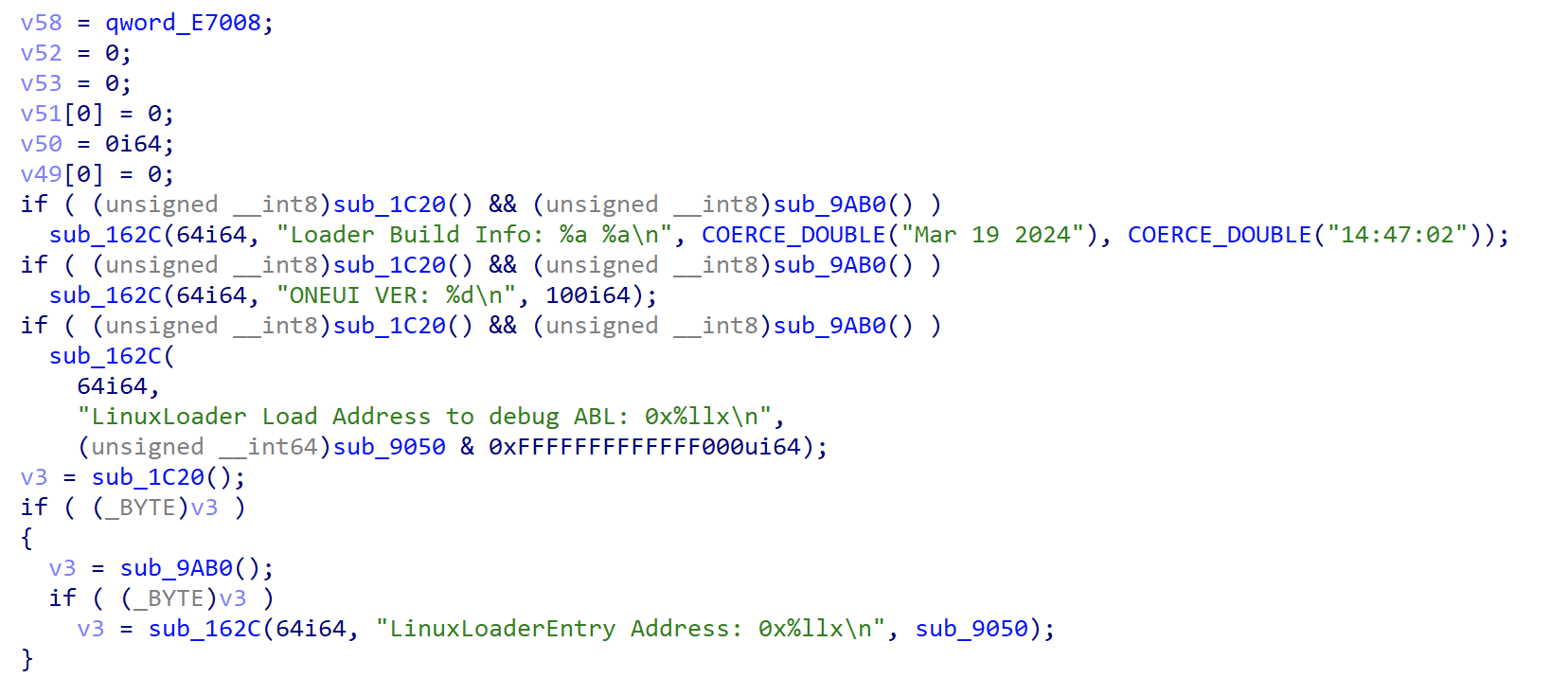
A public reference implementation of LinuxLoader is available here:
This repository also contains a Fastboot implementation, which is especially useful for bootloader security research. Fastboot and similar download modes contain command parsers, USB handlers, partition flashing logic, image parsing code, and state transition checks between locked and unlocked device states. All of these are valuable places to look for bugs.
In the Android boot chain, ABL is also where Android Verified Boot becomes important. Secure Boot authenticates firmware stages in the earlier boot chain, while Android Verified Boot verifies Android partitions and boot images before the kernel starts. In practice, ABL sits at the boundary between firmware secure boot and Android’s own verified boot model.
Once ABL finishes verifying and loading the kernel, the bootloader’s role is mostly complete. Control is transferred to the Linux kernel, and Android continues booting from there.
The following log shows the transition from UEFI/ABL to the Linux kernel.
{ 5169018 }[ ABL ] [USEWP] Adding info of Partition : prism (1:3324416:102400)
{ 5169170 }[ ABL ] [USEWP] Adding info of Partition : optics (2:3426816:5120)
{ 5185884 }[ ABL ] [USEWP] Success to set the Secure Write Protect(3), Status(0)
{ 5187897 }[ ABL ] [USEWP] Result : 0x1(3:1)
{ 5189483 }[ ABL ] [ShutDownbkSecApp] shutdown success status=0, BKSecAppId=0
{ 5189727 }[ ABL ] SPU[VALID]:5
{ 5189758 }[ ABL ]
Shutting Down UEFI Boot Services: 5191 ms
{ 5192167 }[ ABL ] LogFlush:SecDebugLog Flushing
{ 5198816 }[ XBL ] Start EBS        [ 5200]
{ 5198969 }[ XBL ] MDPLibProfile: splash enabled
{ 5225565 }[ XBL ] App Log Flush : 0 ms
{ 5226114 }[ XBL ] ScmArmV8ExitBootServicesHandler, Status = 0x0.
{ 5226144 }[ XBL ] Exit EBS        [ 5228] UEFI End
------ LAST LOGCAT ------

------ KERNEL LOG (dmesg) ------
<6>[    0.000000] [0:        swapper:    0]  Booting Linux on physical CPU 0x0000000000 [0x412fd050]
<5>[    0.000000] [0:        swapper:    0]  Linux version 5.4.86-qgki-23063627-abF711U1UES2BUL7 (dpi@21DJGC13) (Android (6877366 based on r383902b1) clang version 11.0.2 (https://android.googlesource.com/toolchain/llvm-project b397f81060ce6d701042b782172ed13bee898b79), LLD 11.0.2 (https://android.googlesource.com/toolchain/llvm-project b397f81060ce6d701042b782172ed13bee898b79)) #1 SMP PREEMPT Wed Dec 22 12:47:56 KST 2021
<6>[    0.000000] [0:        swapper:    0]  memblock_reserve: 0xcd8d8 setup_arch+0x64/0x1dc
<6>[    0.000000] [0:        swapper:    0]  Machine model: Samsung B2Q PROJECT (board-id,08)
<6>[    0.000000] [0:        swapper:    0]  sec_hw_param:sec_hw_rev_setup() androidboot.revision 8
<6>[    0.000000] [0:        swapper:    0]  androidboot.revision 8
<6>[    0.000000] [0:        swapper:    0]  [SAPA] read_sapa_param: param_time=0
<6>[    0.000000] [0:        swapper:    0]  [sec_hdm] hdm_wifi_flag androidboot.hdm_status = NONE
<6>[    0.000000] [0:        swapper:    0]  efi: Getting EFI parameters from FDT:
Bootloader Attack Surface
From an attacker’s perspective, the most interesting bootloader code is usually not the simple happy-path boot flow. The better targets are the paths that accept external input.
Download modes are a common example. Fastboot, Odin, EDL, ramdump, and upload modes all exist for practical reasons: factory provisioning, firmware updates, device recovery, crash dump collection, and debugging. However, these modes also expose parsers and command handlers before the Android userspace security model is available.
Common bug classes in bootloaders include:
- memory corruption in USB command handlers
- unsafe parsing of boot images, sparse images, or partition data
- incorrect checks around locked and unlocked bootloader states
- missing authentication for flashing or diagnostic commands
- rollback protection mistakes
- confusion between development, engineering, and production modes
- insecure debug or crash dump features left reachable on retail devices
ABL is especially interesting because it is close to Android. It understands Android boot images, AVB metadata, slots, partitions, recovery modes, and Fastboot commands. A vulnerability here may allow an attacker to break verified boot assumptions without needing a kernel vulnerability.
Previous research has already shown that Android bootloaders are a realistic and valuable attack surface. Some good references are: